
Scheduling
Lessons are scheduled through text, and trail lessons are scheduled through Meetup.
Sometimes we experience confusion around Meetup, and so we've created a step-by-step guide for you to easily sign up to our events:
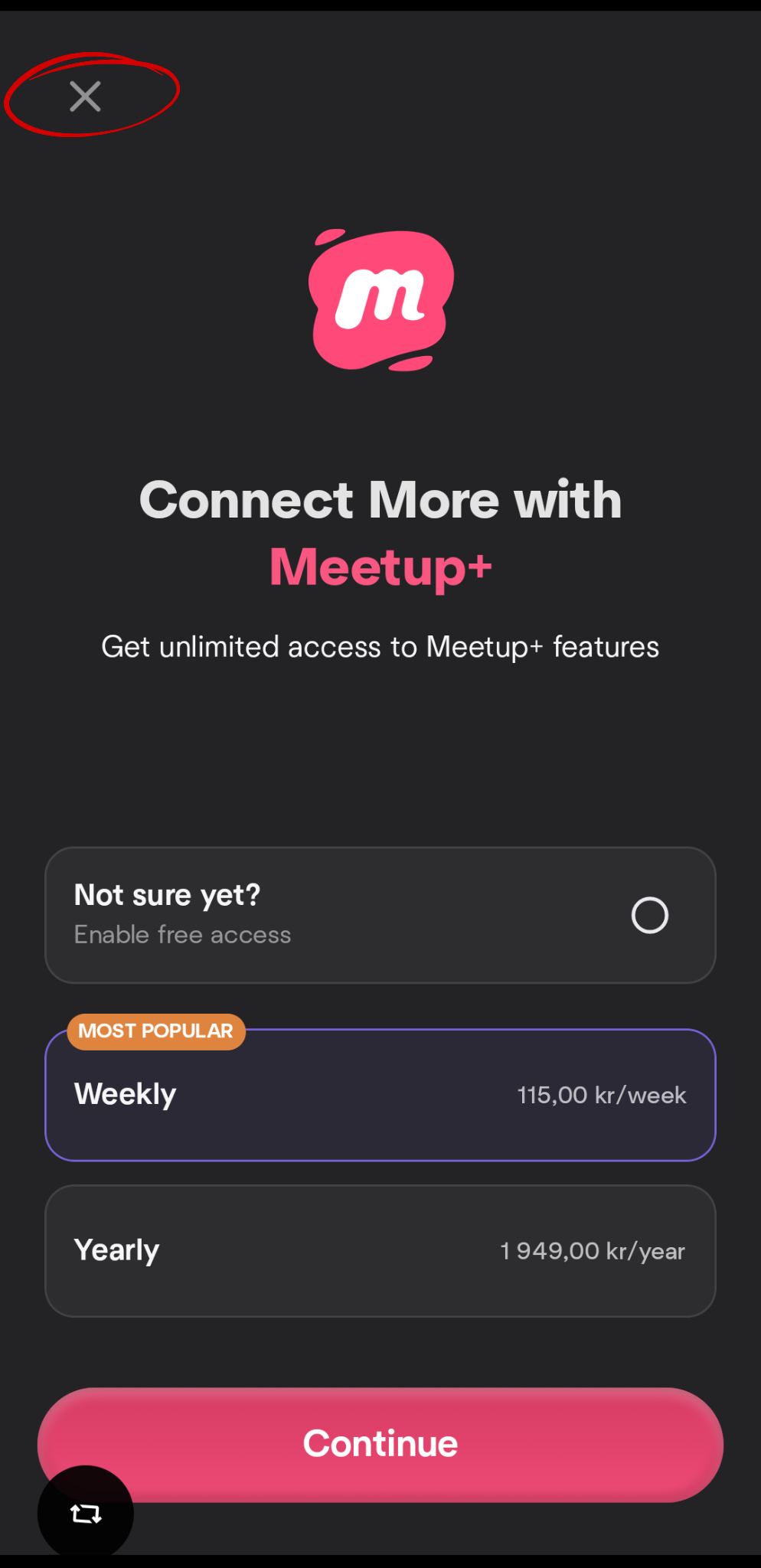
When you first sign up on Meetup, you might be met with the following menu upon registration, click on "X" to use the app for free.
Step 1.
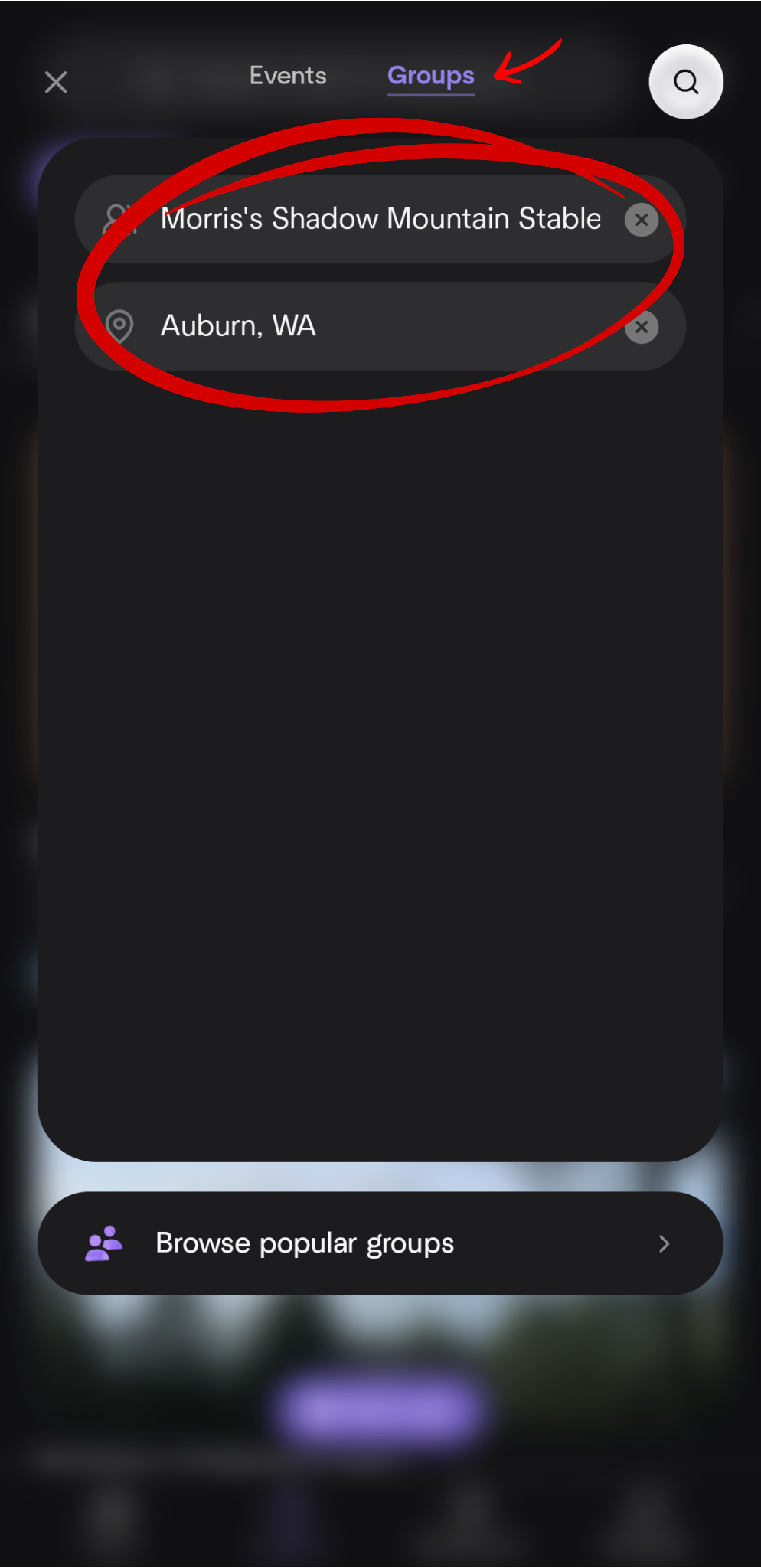
Inside the app, click on "Search", then "Groups" and type in
"Morris's Shadow Mountain Stables" and make sure that the location is set to "Auburn, WA":
Step 2.
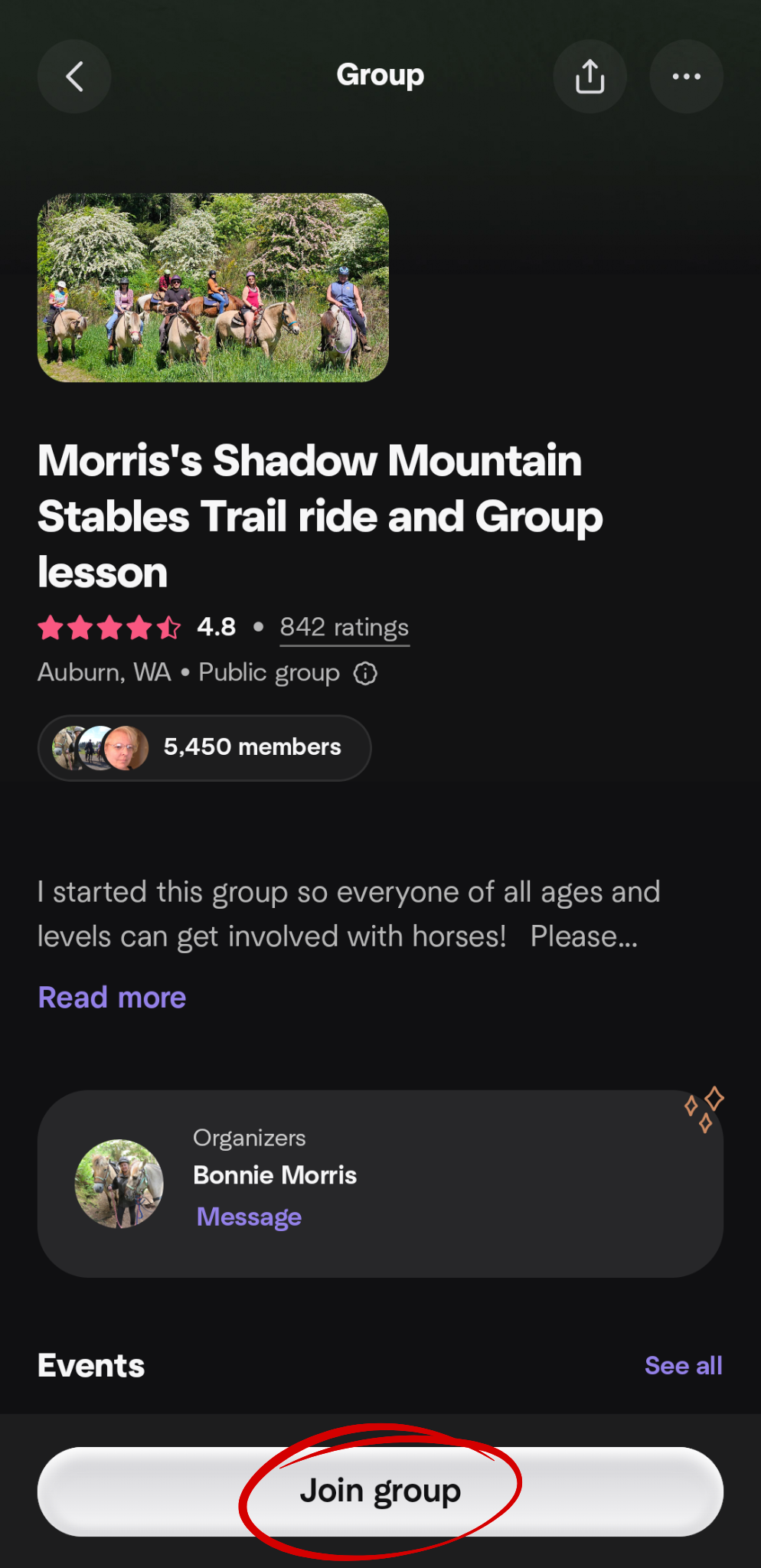
You should be able to see and click on the group. When you click
on the group, it should take you to this page, where you click "Join group":
Step 3.
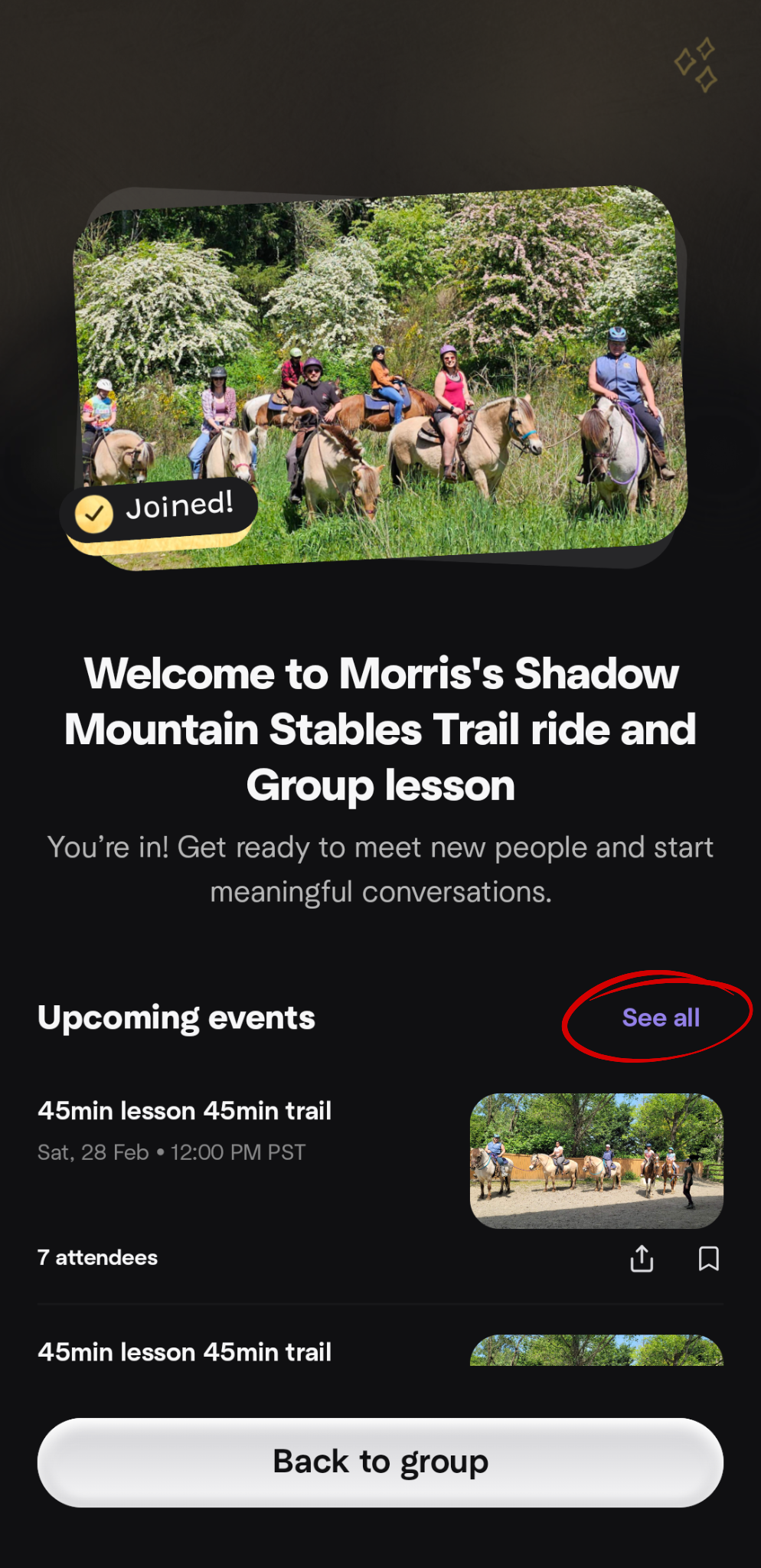
This is what it should look like after you've joined the group,
next, scroll down to "Upcoming Events" and click on "See all":
Step 4.
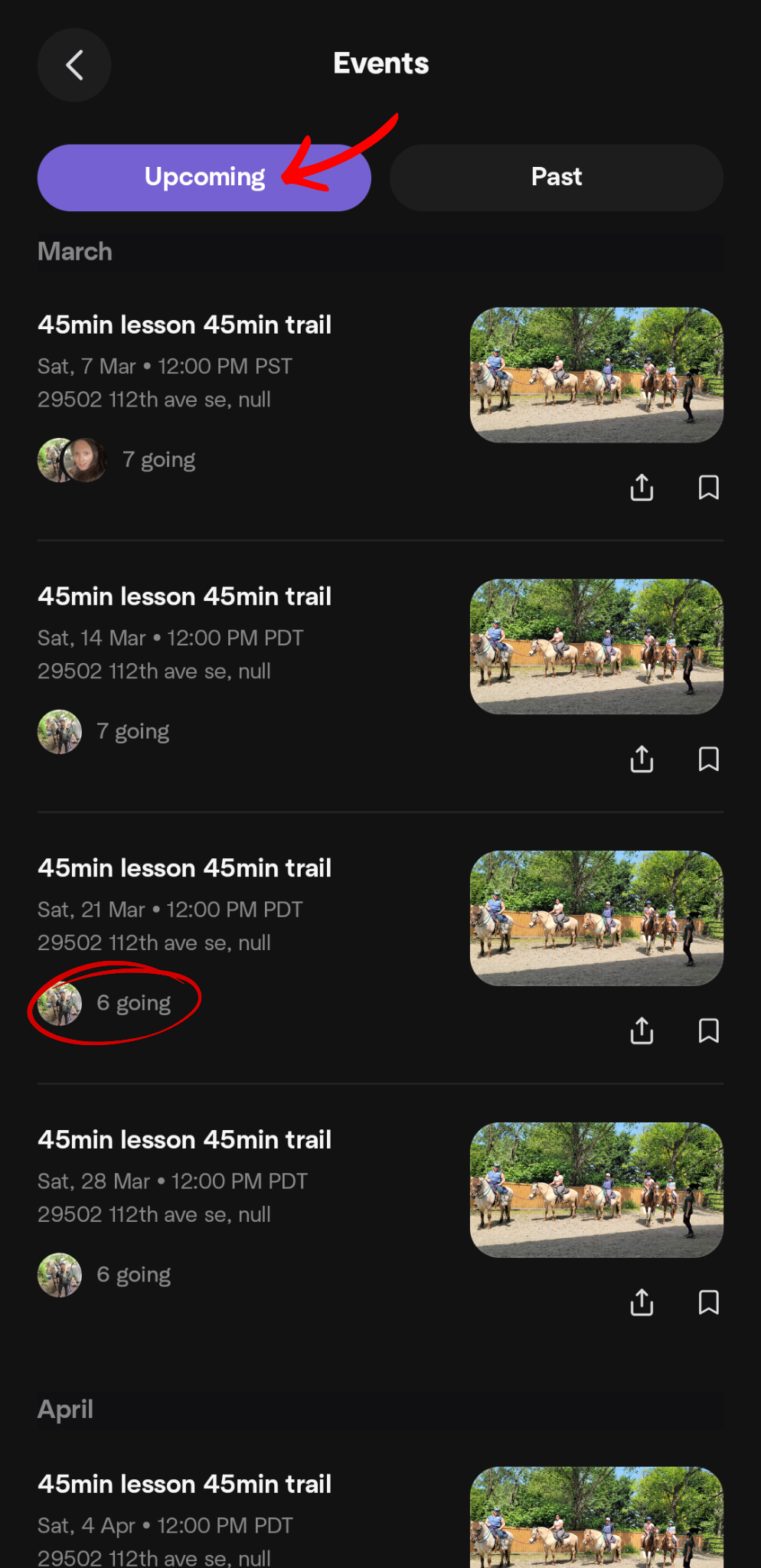
Make sure you're looking at "Upcoming", and find an event that
does NOT say "7 going" - this means that the group is FULL. If the event says "6 going", that
means there is one spot left, shown here:
Step 5.
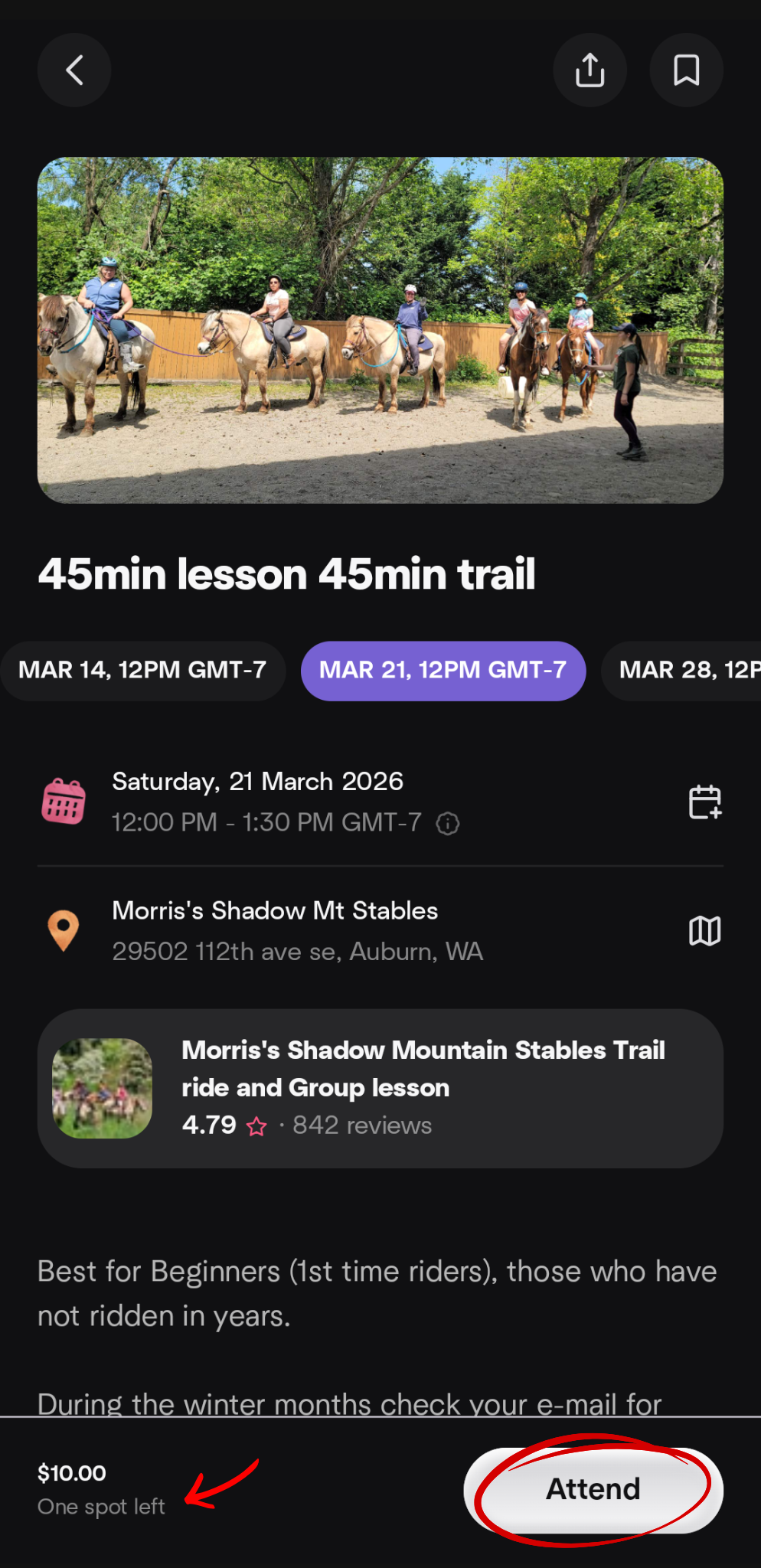
After clicking on an event, it should look like this following image.
This page will also specify to you how many spots are left, as well as the booking fee. When you
find an event with the amount spots free that you're looking for, click "Attend":
Step 6.
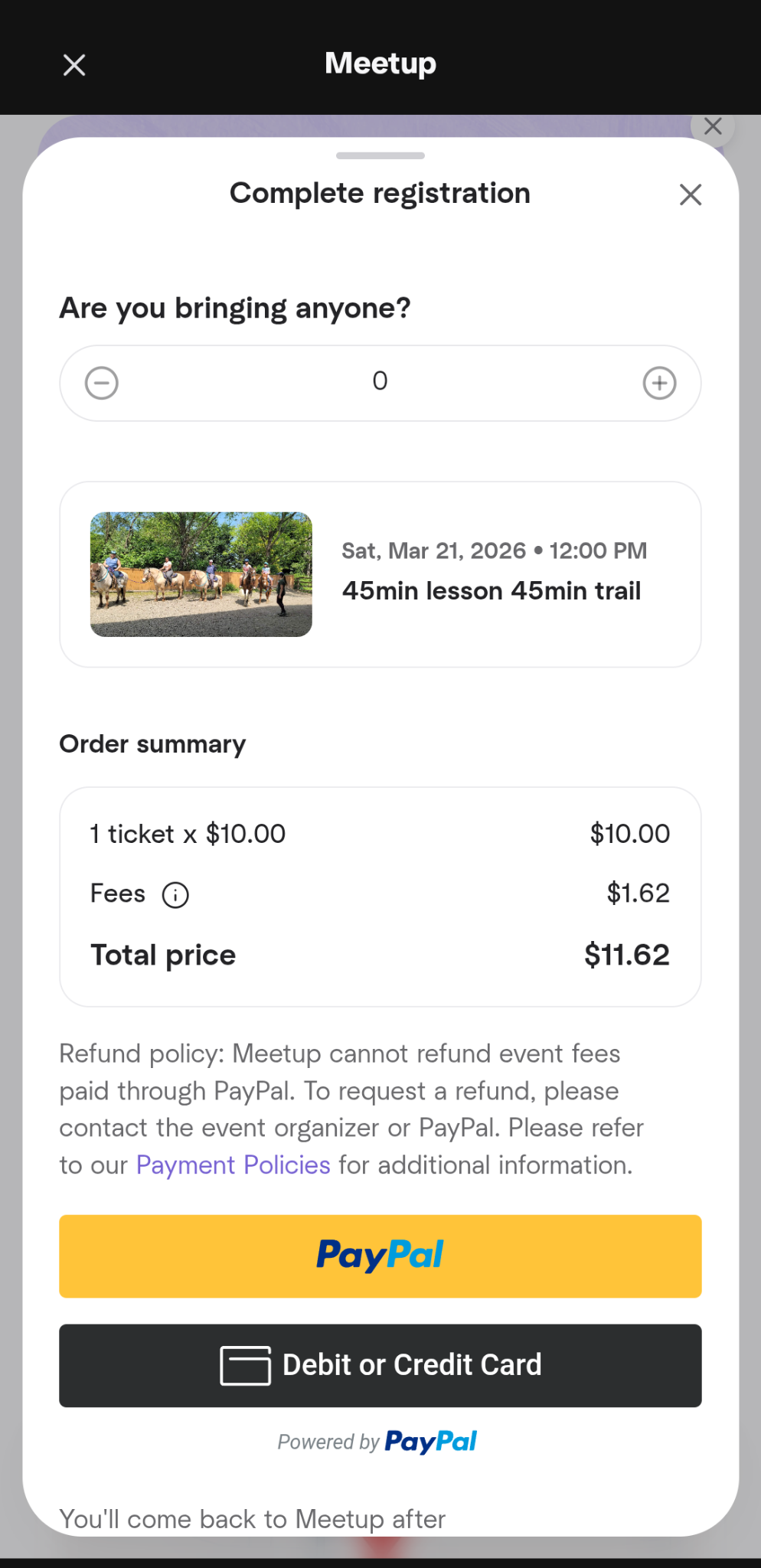
This will take you to the payment page, where you have to pay the
$10 booking fee (per person). Here you can also choose how many people you are bringing with
you - that means that if you're only booking for one person, leave it at 0, but if you're bringing
extra people, fill in the amount of people attending excluding yourself (but make sure the event has enough spots):